New in ATAMYA Product Cloud: The Release Update Q3/2026

Content

Damian Deßler
19 / 10 / 26·8 Min read
Product Information Management
Simpler Product Data Management, Smarter Workflows, and More Automation
Less manual work, smarter workflows, and more freedom when choosing integrations: Release Q3/2026 brings numerous new features that noticeably simplify everyday work with product data. These features don’t just add new functionality — above all, they take more work off your hands.
Release Q3/2026 in three sentences:
- Finding and Editing Product Data: Search, categories, languages, and units save you clicks in your daily work.
- Workflows, Readier for AI More Than Ever: Workflows now only start when they’re needed, while AI results are added to the product in a single step.
- Open to Shops, ERP systems, and AI Assistants: With webhooks and GraphQL, ATAMYA Product Cloud opens up further to the systems and assistants you already work with.
Finding and Editing Product Data
What your team will notice right away: fewer clicks when searching, organizing, and editing data.
Search Redesign: Find, Filter, and Edit Even Faster
Your benefit: Your team can find product data and gaps, such as missing images, on its own without having to learn a query language.
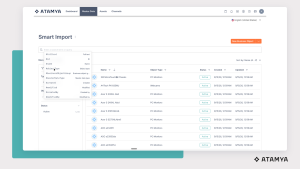
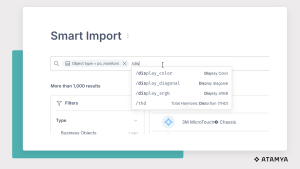
Fewer clicks, better overview: The new search in ATAMYA makes finding, filtering, and editing product data easier and more intuitive. The search has moved from the header to the content area: it’s wider, more visible, and no longer requires switching between Basic Search and Query Search: both modes now share one and the same search field.
- Auto-Complete with Explanations: Every operator is explained in plain language. For references, selection values, and date fields, the search suggests matching values directly.
- One Search, All Data Languages: Full-text search finds product information across languages, regardless of the data language it is maintained in.
- Combine, Group, and Edit Criteria: Even complex queries stay readable and can be adjusted afterwards.
- Missing Images? Found Instantly: With the query “Media attribute is (not) empty”, you can see at a glance where assets are missing.
One Data Source, Any Number of Category Trees
Your benefit: Your shop, catalog, and Sales team each get their own structure from a single data source, without copies and without duplicate maintenance.
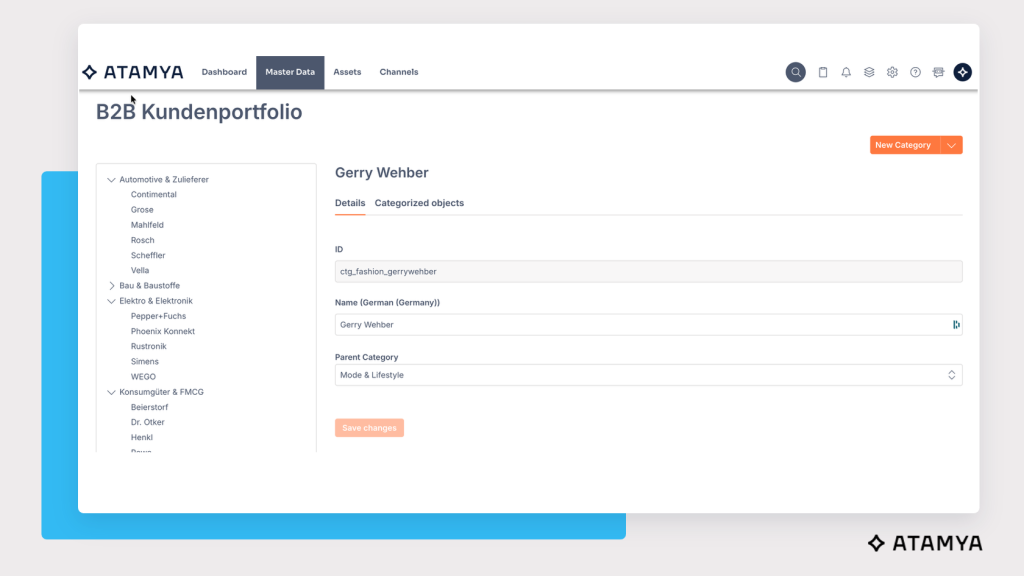
A product rarely belongs in just one place alone. The shop sorts by application, the print catalog by product group, sales by customer segment. In ATAMYA Product Cloud, you can now place the same object in several category trees at the same time.
Think of it like a library that lists a book in several catalogs: by author, by subject, by period. The book still stands on the shelf only once.
- Multiple Assignments: One product can be assigned to several categories at the same time, and vice versa.
- Cross-Domain: A category tree can structure objects from several domains at the same time.
- Seamlessly Integrated: Categories can be searched, imported, and exported.
More Languages, More Possibilities
Your benefit: Teams in more countries can work in their own language, and regional or internal language versions no longer require workarounds.
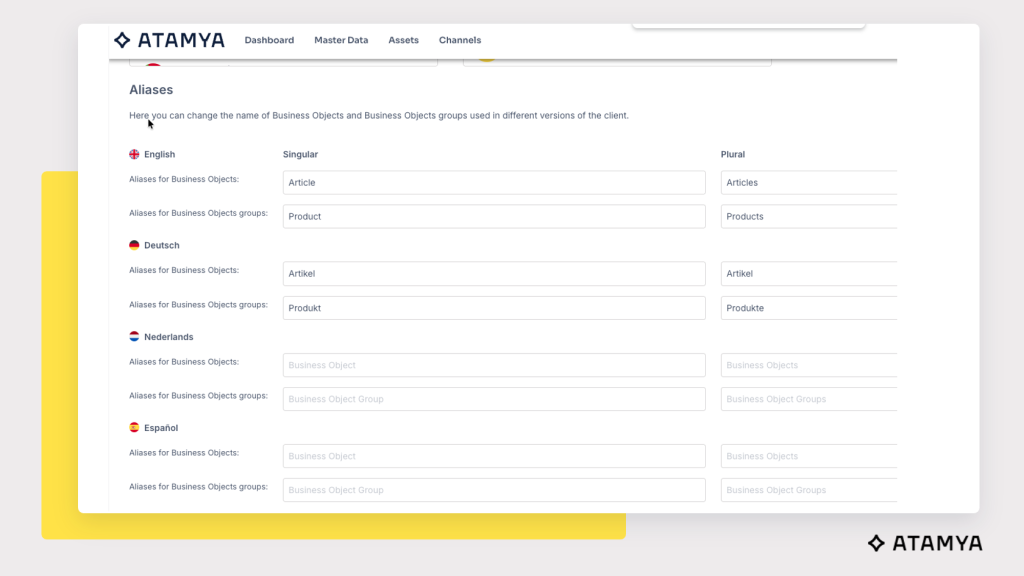
International teams, international product data: ATAMYA Product Cloud is becoming even more multilingual. The user interface is now also available in French, Dutch, Portuguese, Italian, and Spanish. Interface language and data language remain separate: your team can work in French while the product data itself is set to Japanese.
Also new are custom languages. You can create your own custom language codes for data languages, even if they aren’t in the standard list, for example for regional variants, internal language versions, or, say, your own corporate English.
Maintain Units of Measurement, Now Also via Excel
Your benefit: Instead of creating each unit individually, you can now maintain all of them in one spreadsheet. With this addition, the complete data model can be imported and exported.
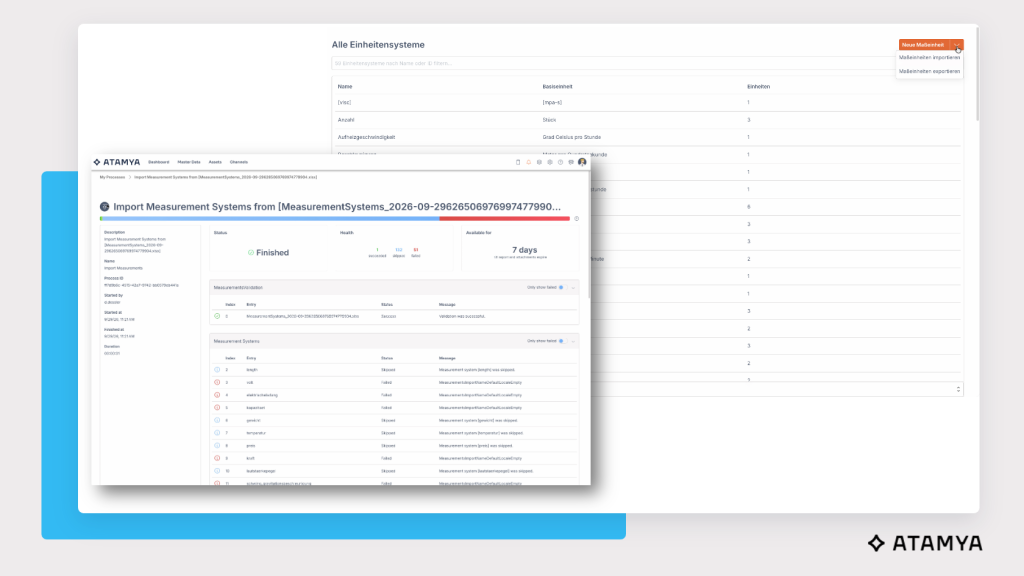
Until now, units of measurement had to be created one by one. Now you can export them as an Excel file, edit units and conversion rules there, and import them again. An import report shows what worked and what didn’t in case of unexpected editing mistakes.
Maßeinheiten mussten bisher einzeln angelegt werden. Jetzt exportieren Sie sie als Excel-Datei, bearbeiten Einheiten und Umrechnungsregeln dort und importieren sie wieder. Ein Importbericht zeigt, was geklappt hat und was nicht.
Practical tip: Import the units of measurement first and then the data model. That way, the order is right from the start.
Workflows: Readier for AI More Than Ever
Three new features make workflows more compact — and their AI steps more direct.
Workflows Read Select Attribute Options
Your benefit: AI agents and workflows work with real values instead of internal IDs. That means shorter prompts, less mapping effort, and fewer sources of error.
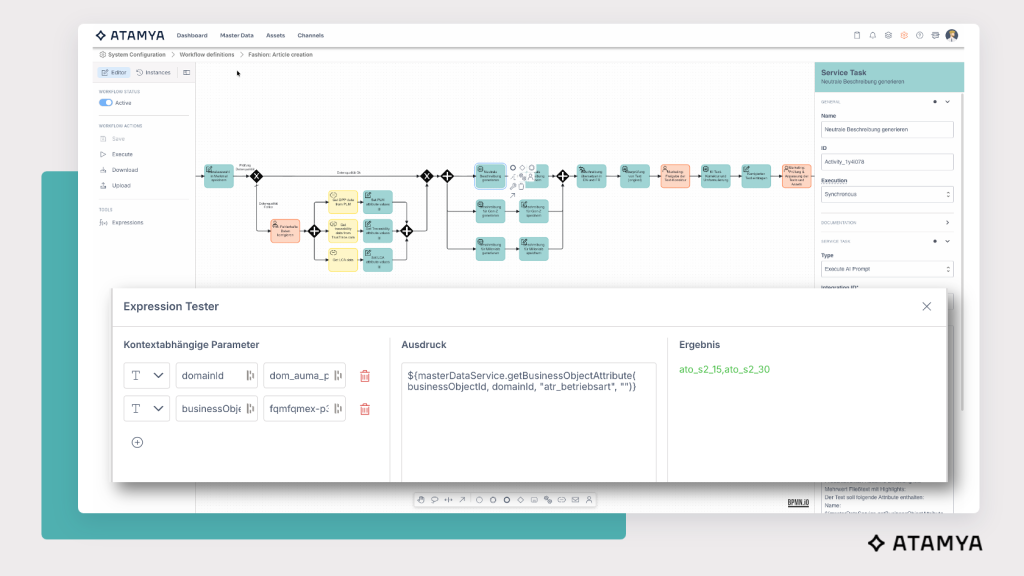
For select attributes, workflow expressions now return multi-lingual display names instead of just the internal option ID. You specify the relevant language yourself, for example “en-GB”. Our you can also output the display name and value combined: readable for humans, unambiguous for systems.
This is especially valuable for AI-based processes: an AI agent that works directly with “cotton” instead of “opt_4711” doesn’t need an additional translation table in the prompt.
Save Many Attributes in One Step
Your benefit: AI results are written into relevant products automatically in a single step — with less system load and a clear change history.
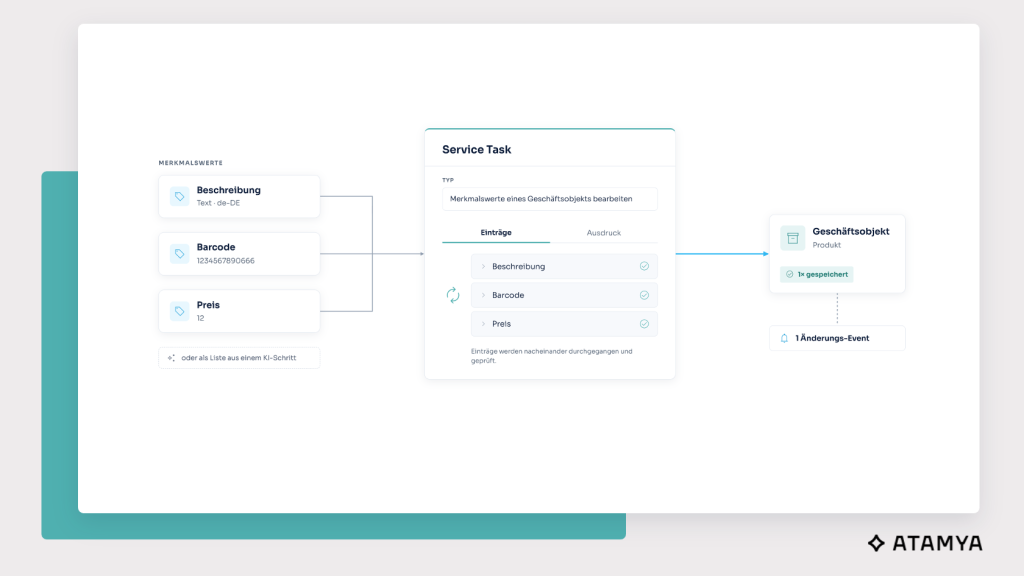
Fewer individual steps, more efficient workflows: With the two new tasks “Edit attribute values of a business object” and “Edit attribute values of a business object group”, you can update several attributes at once. The values can be entered directly in the editor or passed as a structured list via an expression. This lets you, for example, process the full output of an AI step directly.
One save operation instead of many: Channel synchronization, validation, and history are triggered only once. This reduces the number of events, speeds up processing, and keeps the change history clear. The existing individual tasks remain available.
For Workflow Nerds: Example of a Structured List
[
{ "attributeDefinitionId": "multilingual", "attributeValue": "text", "dataLanguageCode": "de-DE" },
{ "attributeDefinitionId": "barcode", "attributeValue": "1234567890666" },
{ "attributeDefinitionId": "price", "attributeValue": "12" }
]
Start Conditions: Only Start What’s Really Needed
Your benefit: Fewer unnecessary workflow runs save computing power, while critical changes are routed strategically into approval.
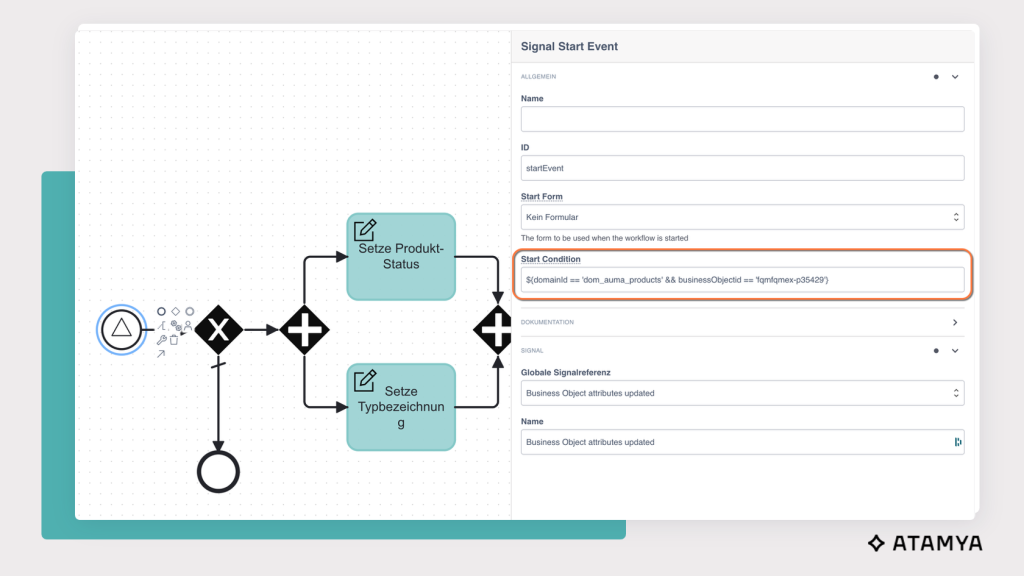
Why start a workflow if there’s nothing to do? Until now, a workflow started on every matching signal and only filtered afterwards based on user-defined settings. With start conditions, the system checks before starting whether the defined conditions are met. Only if they are will the workflow be started.
A real-world example: Imagine an import of 10,000 objects, only some of which change a specific attribute. Only the workflow runs that are actually needed are created from now on. And instead of one large workflow with many branches, you can build several more compact ones.
But start conditions can do more than merely save resources. They also ensure that critical changes trigger exactly the right processes: if a critical attribute changes, an approval process starts. Whether the change comes from a supplier, the ERP system, a colleague, or an AI agent — it remains traceable and crosses only the desks it’s supposed to crosss.
For Workflow Nerds: Examples Using the Expression Language
| Use Case | Condition |
| Only for Specific Object | ${businessObjectId == ‘4711-Lacoste-Piquet’} |
| For One of Many Objects | ${businessObjectId == ‘4711-Lacoste-Piquet’ \|\| businessObjectId == ‘7664-Lloyd-Slipper’} |
| Domain and Object | ${domainId == ‘fashion’ && businessObjectId == ‘4711-Lacoste-Piquet’} |
| Domain and Changed Attribute | ${domainId == ‘fashion’ && Payload.newState.findValuesAsString(‘attributeDefinitionId’).contains(‘brand’)} |
Open to Shops, ERP, and AI Assistents
ATAMYA reports changes on its own and delivers data exactly the way your systems need it.
Webhooks: ATAMYA Lets You Know When Something Changes
Your benefit: Your shops, ERP system, and middleware are always up to date, without having to keep asking.
Why keep asking for changes when ATAMYA can report them directly and automatically? With the new webhooks, ATAMYA Product Cloud automatically notifies connected systems about relevant events. Regular status polling is a thing of the past.
- Notified Directly: ATAMYA sends changes to an external address, such as a shop, an ERP system, or any middleware.
- Precisely Controlled: You define which events are sent, for example when business objects or groups are created, changed, or deactivated.
- Fully Logged: Every transmission is documented and remains traceable.

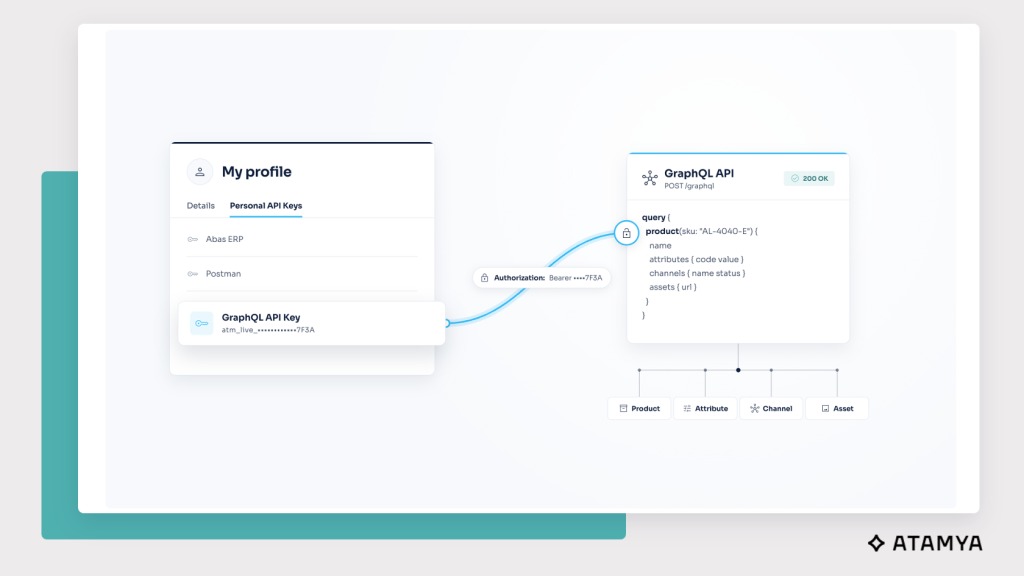
GraphQL via API Key
Your benefit: Integrations can be tested and built faster, and every system gets exactly the data it needs and is allowed to get based on permissions.
Your data model is a network: products, domains, units, contexts, and channels are all connected. With GraphQL, you can retrieve these relationships in a single query instead of running numerous individual API requests, be it for an online shop, a print catalog, or an analytics tool.
The ATAMYA user interface already uses GraphQL. What’s new is direct access via a personal API key: Postman and other clients connect directly, without going through login and tokens.
The next release update will follow next quarter.
Author:
Damian Deßler
Product Marketing
ATAMYA
These articles may also interest you